

Your guide to Amazon Flex payment options

As an Amazon Flex delivery partner, you're in control of when and how you get paid. Here's everything you need to know about the payment options available to you.
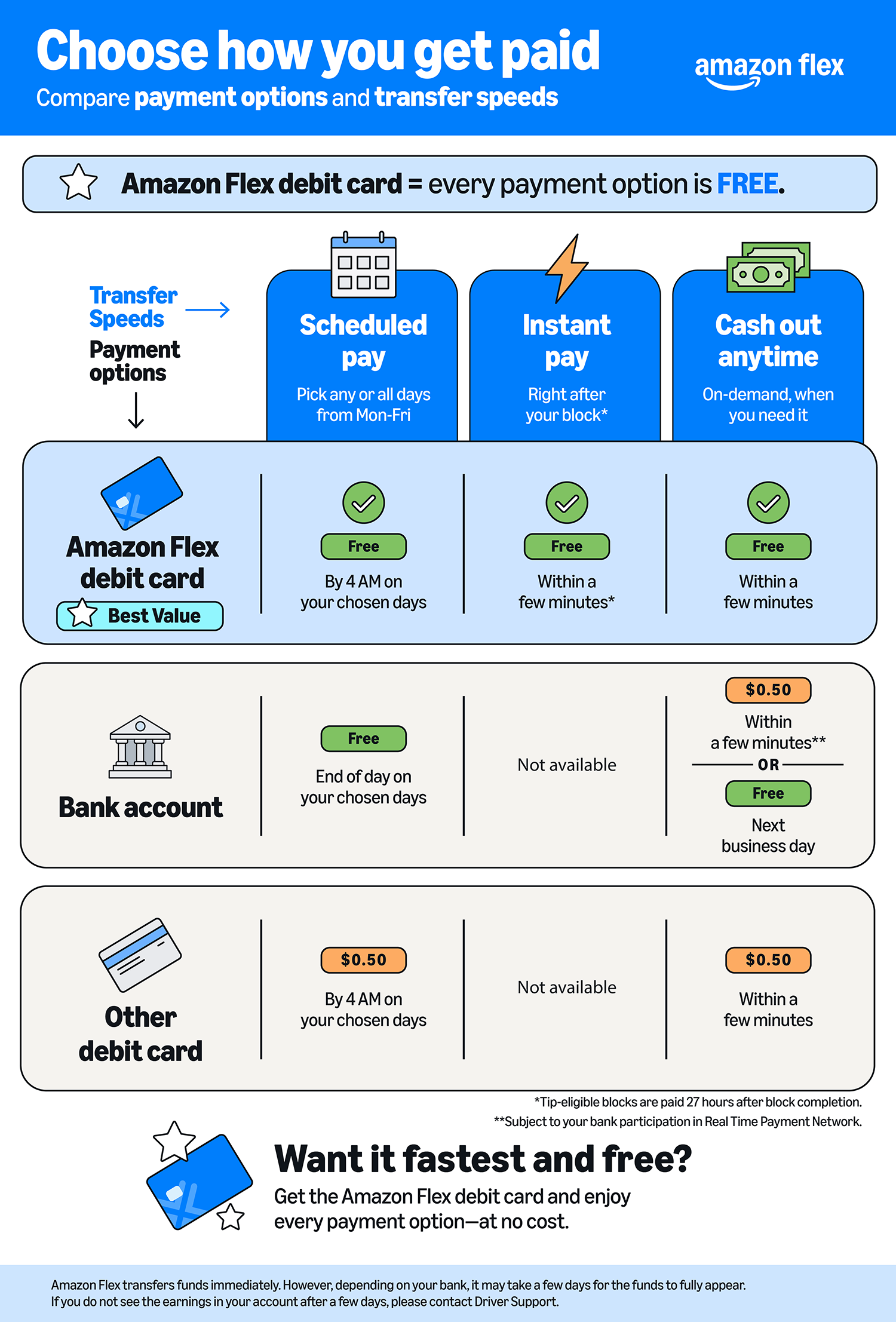
Pick your payment day(s)
You can decide which day(s) of the week you want to receive your earnings. This allows you to have consistent payment days that best suit your needs. Customers tips are finalized within 24 hours. Once finalized, Amazon issues your payment on your next scheduled payment day, or immediately if you're on Instant Pay.* You can change your selected payment days by visiting Settings > Personal Information > Payment.
Amazon Flex Instant Pay
Amazon Flex Instant Pay provides payment shortly after completing each block, at no charge, for delivery partners who have an Amazon Flex Debit Card. Blocks without tips are paid to your Amazon Flex Debit Card shortly after block completion, including on weekends and holidays. Tip-eligible blocks are paid 27 hours after block completion.
To enable Amazon Flex Instant Pay, you’ll need to receive payments to your Amazon Flex Debit Card. You can update your payment preferences at any time in the Amazon Flex app by going to Settings > Personal Information > Payment > Bank Account > Edit and enter your Amazon Flex Debit Card details. To enable Amazon Flex Instant Pay, navigate to Payment > Payment Frequency > Edit, and select "Amazon Flex Instant Pay."
Amazon Flex Cashout
Amazon Flex Cashout provides a convenient way for you to access your earnings on-demand, whenever you need them, including between your regular scheduled payment days. Your earnings are automatically added to your available Amazon Flex Cashout balance shortly after the end of your block time, and tip-eligible blocks are added 27 hours after block completion.
If you want your earnings instantly, you can cash them out to your Amazon Flex Debit Card for instant access to funds at no cost, or to any other debit card for a $0.50 fee. You can also cash out to your bank account. Choose the same or next business day at no additional cost, or get your earnings instantly for a $0.50 fee. You can use Amazon Flex Cashout at any time by going to Earnings > Cashout > Select your payment speed.
To apply for the Amazon Flex Debit Card, visit Your dashboard > Rewards details, and select "Amazon Flex Debit Card." In addition to payment benefits, you can also earn up to 6% cash back on fuel, 2% on Amazon.com and Whole Foods Market, and 1% cash back on everything else.
The Amazon Flex Visa® Business Debit card is issued by Green Dot Bank, Member FDIC, pursuant to a license from Visa U.S.A., Inc. Visa is a registered trademark of Visa International Service Association. Green Dot Bank also operates under the following registered trade names: GO2bank, GoBank and Bonneville Bank. All of these registered trade names are used by, and refer to, a single FDIC-insured bank, Green Dot Bank. Deposits under any of these trade names are deposits with Green Dot Bank and are aggregated for deposit insurance coverage up to the allowable limits.
1. Bank account opening is subject to identity verification by Green Dot.
2. Maximum cash back limit of $500 per month applies across all categories. Additional terms, conditions, limitations, and exclusions apply. Rewards are subject to change at any time at our sole discretion. See terms and conditions for complete details.
All third-party names and logos are trademarks of their respective owners. These owners are not affiliated with Green Dot Bank and have not sponsored or endorsed Green Dot products or services. Neither Green Dot Bank, Green Dot Corporation, Visa U.S.A., Inc., nor any of their respective affiliates is responsible for products or services provided by third parties.
©2026 Green Dot Corporation. Green Dot is a registered trademark of Green Dot Corporation. All rights reserved. Green Dot Corporation NMLS #914924; Green Dot Bank NMLS #908739.
* Amazon initiates payment on your scheduled pay day, but the actual time the funds credit to your account may vary depending on your bank’s processing times.
Related Blog Posts

Save on fuel, dining, childcare, and more with Amazon Flex Rewards

Making the delivery station check-in process more efficient
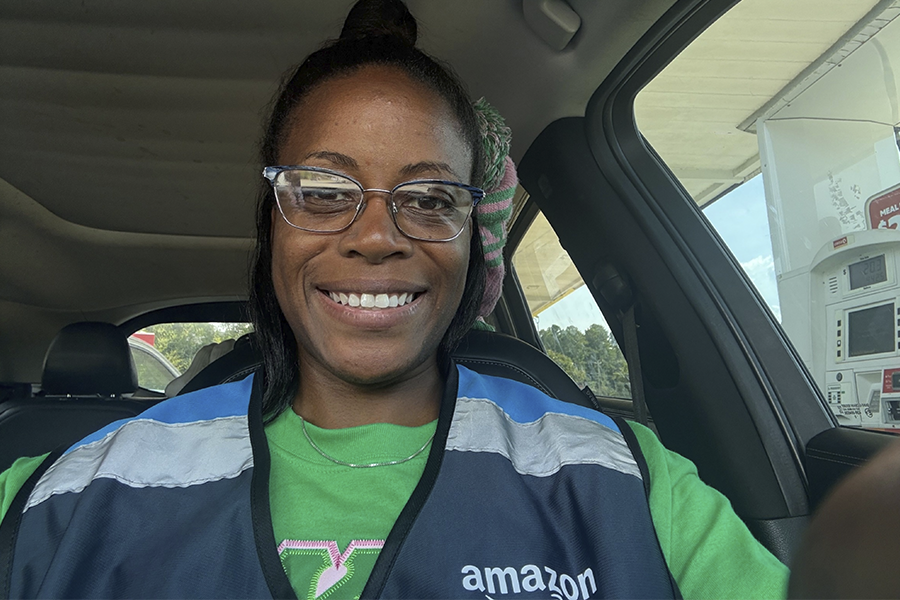
Meet a delivery partner earning on her own schedule this school year
Celebrating Driver Appreciation Week

Navigating building entrances with ease

Safety cues help keep you safe while delivering
Download the Amazon Flex app
Create an account to set your schedule, see your earnings upfront, and start delivering with confidence.