

Making the delivery station check-in process more efficient
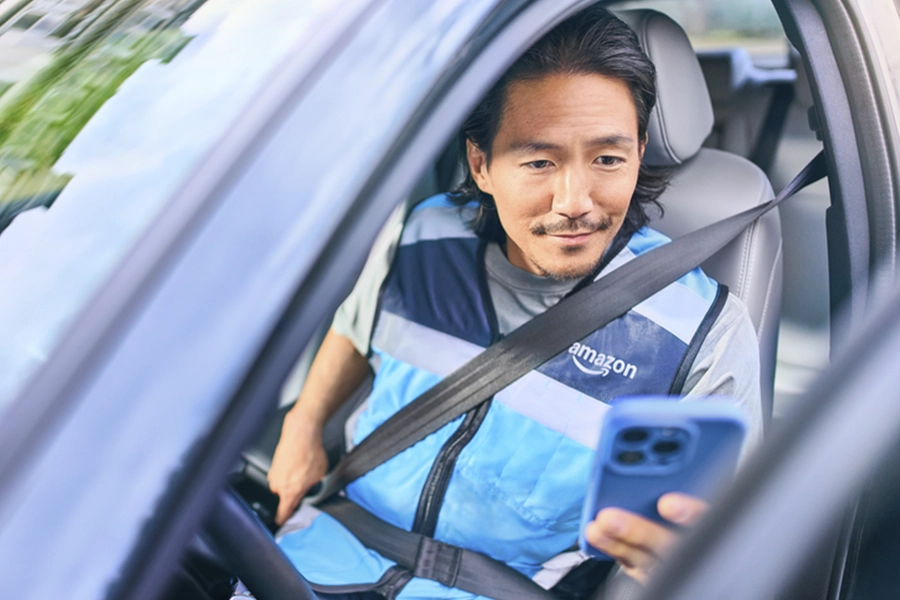
At Amazon Flex, we understand that your time is valuable. That's why we're enhancing the check-in experience to save you time while at the station, and to make delivering even more efficient. You can now check in for your delivery block at a kiosk in the parking lot at Sub Same-Day delivery stations.
How to check in at the parking lot kiosk
When you arrive at the delivery station, park and follow the signs to the kiosks. In the Amazon Flex app, tap "I've Arrived" and take a selfie if prompted. Then, tap your cell phone on the kiosk to check in. If you are using an Android device to check in, please ensure you enable NFC in phone settings before you arrive.
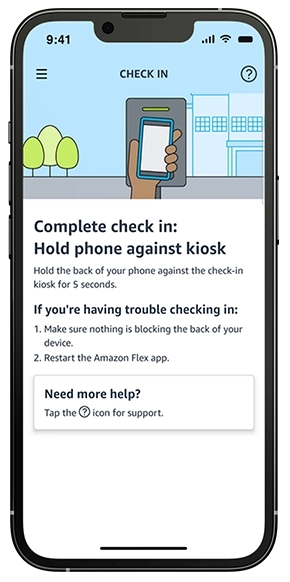
Once checked in, use the app to locate the packages you will deliver. Your cart location code will appear on the app screen and match the location stickers on the floor in the designated pickup area. When you've found your cart, scan any package from the cart into the app.
Once the route is confirmed, select "View Pick Up" to see your summary of packages. In the app, "Swipe to Finish." Review the itinerary and assigned packages to ensure you have all of them before loading your vehicle.
Thank you for delivering with Amazon Flex.
Related Blog Posts
Meet a delivery partner earning on her own schedule this school year
Celebrating Driver Appreciation Week
Navigating building entrances with ease
Safety cues help keep you safe while delivering
Improving your experience in the updated Amazon Flex app

Meet two delivery partners balancing motherhood and flexibility
Download the Amazon Flex app
Create an account to set your schedule, see your earnings upfront, and start delivering with confidence.