

Getting support is now even easier

We’re excited to share that we’ve made improvements to our support experience based on your feedback, including a new self-serve help feature, live chat assistance during deliveries, and phone support for more topics.
New support options in the Amazon Flex app
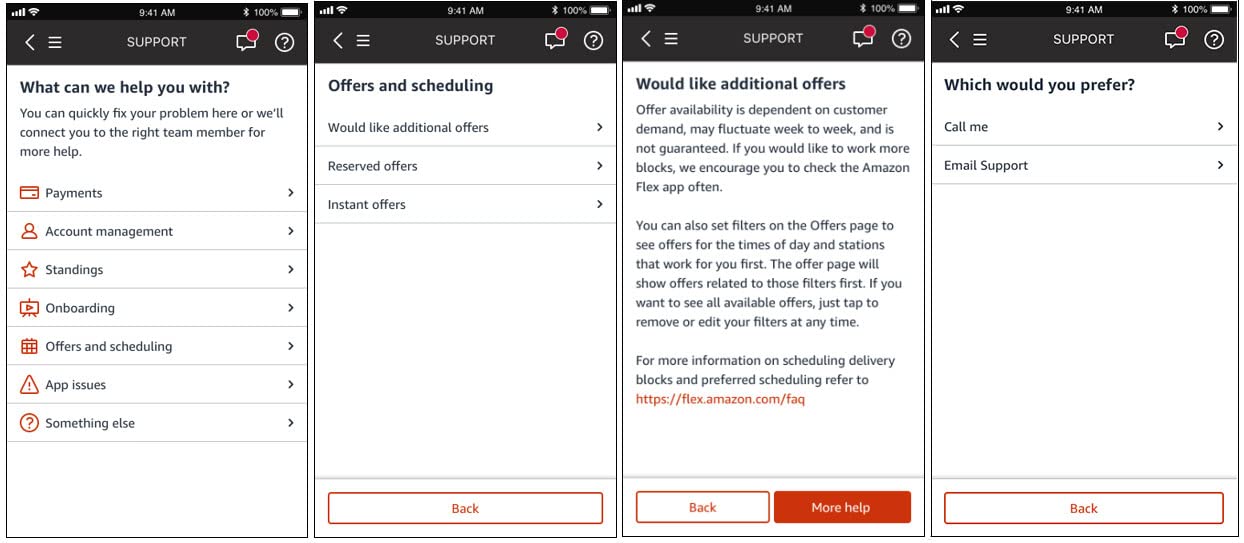
Self-serve help
With just a few clicks in the Amazon Flex app, you can quickly find answers to popular questions on onboarding, offers, payments, Standings, and more — 24 hours a day, 365 days a year.
To access information about these topics when you’re not out delivering, click “Help” and “Contact Us” from the main menu, and the app will show you the answer to common questions on the spot. If you need additional help, you can click “More Help” for options to contact a Driver Support team member via the app as well.
Faster support
We know that your time matters. Now you can save time if you use the Amazon Flex app to contact Support, versus dialing the toll-free number. When contacting Support through the app, the information you provide lets us connect you directly with the appropriate Support team member to answer your question. You also skip the identity verification questions, since confirmation takes place automatically through the app. This saves about a minute and a half on average per call.
Phone support for more topics
Phone support now covers even more topics. In addition to help with deliveries, you can now speak live with a Support team member about onboarding, background checks, and other account related areas. Questions about payments and Standings will continue to be supported through email.
Live chat assistance during delivery blocks
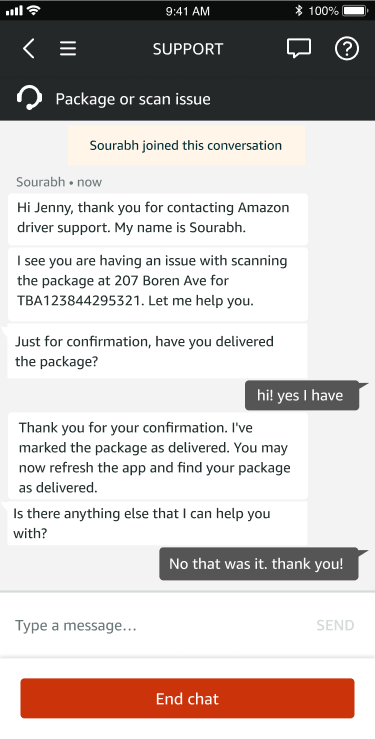
We added live chat in the Amazon Flex app for delivery assistance during your blocks. The chat option is in addition to phone support, so you can get help in the way that’s most convenient for you. Delivery partners are typically connected to Support within 30 seconds of selecting the chat or call option in the app. Here’s an example chat:
Ongoing support
In addition to the new and improved features, you can continue to access these helpful resources.
Emergency Help
The “Emergency Help” button in the Amazon Flex app gives you the option to call 911 or contact the Amazon Emergency Helpline when reporting an accident or safety concern. You can find the button in the main menu, or at the bottom of your screen during delivery blocks. If you need emergency services, always call 911 before contacting the Amazon Emergency Helpline.
Learning Portal
The Learning Portal is your go-to resource for everything related to Amazon Flex. Visit the Learning Portal through the main menu of the Amazon Flex app any time you want to get delivery suggestions, find a helpful video, or learn about all the ways to earn with Amazon Flex.
Website FAQ
The Amazon Flex website contains a Frequently Asked Questions page with basic information for popular topics related to Amazon Flex.
Toll-free phone number
For faster access to Driver Support, please use chat in the Amazon Flex app. Open the Main Menu > Help> Contact Us > Chat. Chat is available in both English and Spanish. If you’re unable to use the app, you can contact Driver Support by calling 888-281-6906.
Related Blog Posts

More earnings opportunities with large-vehicle blocks

Your guide to Amazon Flex payment options

Save on fuel, dining, childcare, and more with Amazon Flex Rewards

Making the delivery station check-in process more efficient
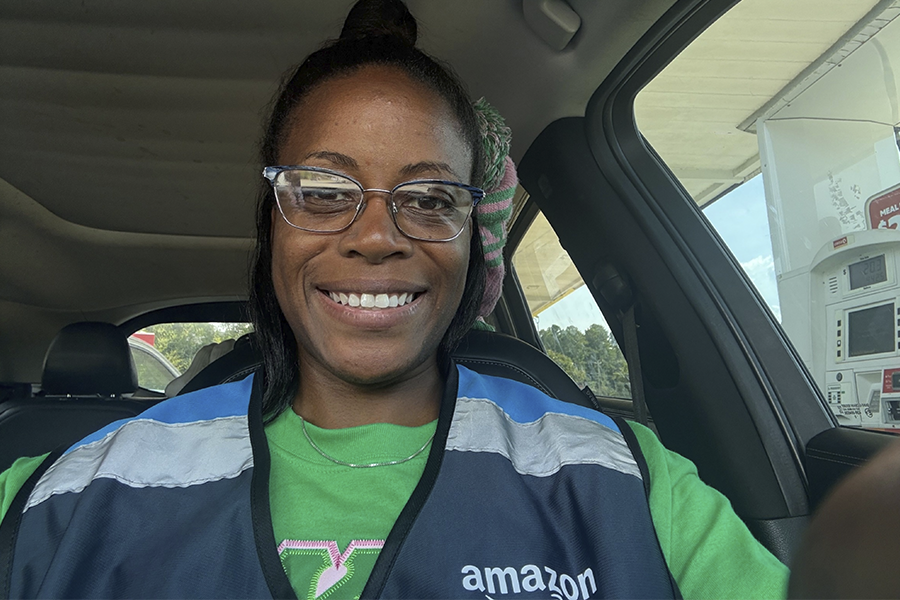
Meet a delivery partner earning on her own schedule this school year

Celebrating Driver Appreciation Week
Download the Amazon Flex app
Create an account to set your schedule, see your earnings upfront, and start delivering with confidence.